 DeepTranslate
How to Change Language on Patreon in 2026 (PC & App)
Introduction
Patreon has assumed the role of an indispensable means for creators and supporters whereby artists, writers, musicians, and content producers of all types can expect to be financially backed by fans. By design, Patreon is open to any user anywhere in the world, making it the epitome of a global platform. But still, you may need to browse the Patreon website using language you do not like so much. In this ultimate guide, I will explain how to change language on Patreon, both on a PC and on a mobile application, so you can use Patreon comfortably in your language.
Read Patreon in Your Language, Instantly
Translate the Patreon website with DeepTranslate in just one click.
Why Is My Patreon in a Different Language?
Before we dive into the solutions, let's address a common question: Some of the Patreon users may ask the following question: "Why is my Patreon in a different language?" There are several reasons this might occur:
- Automatic location detection: Patreon may try to guess your location based on your IP address and set the language of the Patreon website to the one associated with your location.
- Browser settings: There is a possible area of the Patreon website that corresponds to the language preferences of your browser.
- Previous user settings: It's most likely using language dependent on prior use of Patreon or if you Share a device it will be in a language that you have set before.
- Default settings: Sometimes, patrons create their accounts and choose languages different from English or, often, the language of the majority.
The first thing to do is to understand why is my Patreon in a different language at all. However, many people do not know how to change language on Patreon platform, and now let's look at how this may be done.
How to Change Language on Patreon
Depending on your device and personal preferences, there are several ways to change the language on Patreon. Below, we'll walk through the most common and effective methods:
- Use a browser extension to view Patreon in bilingual languages
- Change the language in your Patreon profile settings
- Adjust language settings in the Patreon mobile app
- Use a Patreon browser extension to view pages in two languages
- Translate Patreon pages using a browser extension like DeepTranslate
One of the most flexible ways to use Patreon in multiple languages is through a browser extension. DeepTranslate offers two key features: bilingual page view and full-page translation, allowing you to read Patreon comfortably in your preferred language.
Read Patreon in Your Language, Instantly
Translate the Patreon website with DeepTranslate in just one click.
How to Use Browser Extension to Make Patreon Page Bilingual
Currently, the most universal way of watching Patreon in different languages is to use a browser extension. To that end, we strongly suggest DeepTranslate; this tool provides the ability to have one or two translated pages as well as entire page translation services.
Benefits of Using DeepTranslate
- Intelligent language recognition: With DeepTranslate, it is possible to translate content from more than 140 languages, and this will be detected by the program on its own.
- Bilingual viewing: The worksheet contains two sections where one can view both the original text and the translation; it is valuable for learning or checking translation.
- Full-page translation: It is also possible to translate the whole Patreon website in one click.
- Fluent reading experience: With the help of the extension, you can read posts in different languages without any problems.
To use DeepTranslate:
-
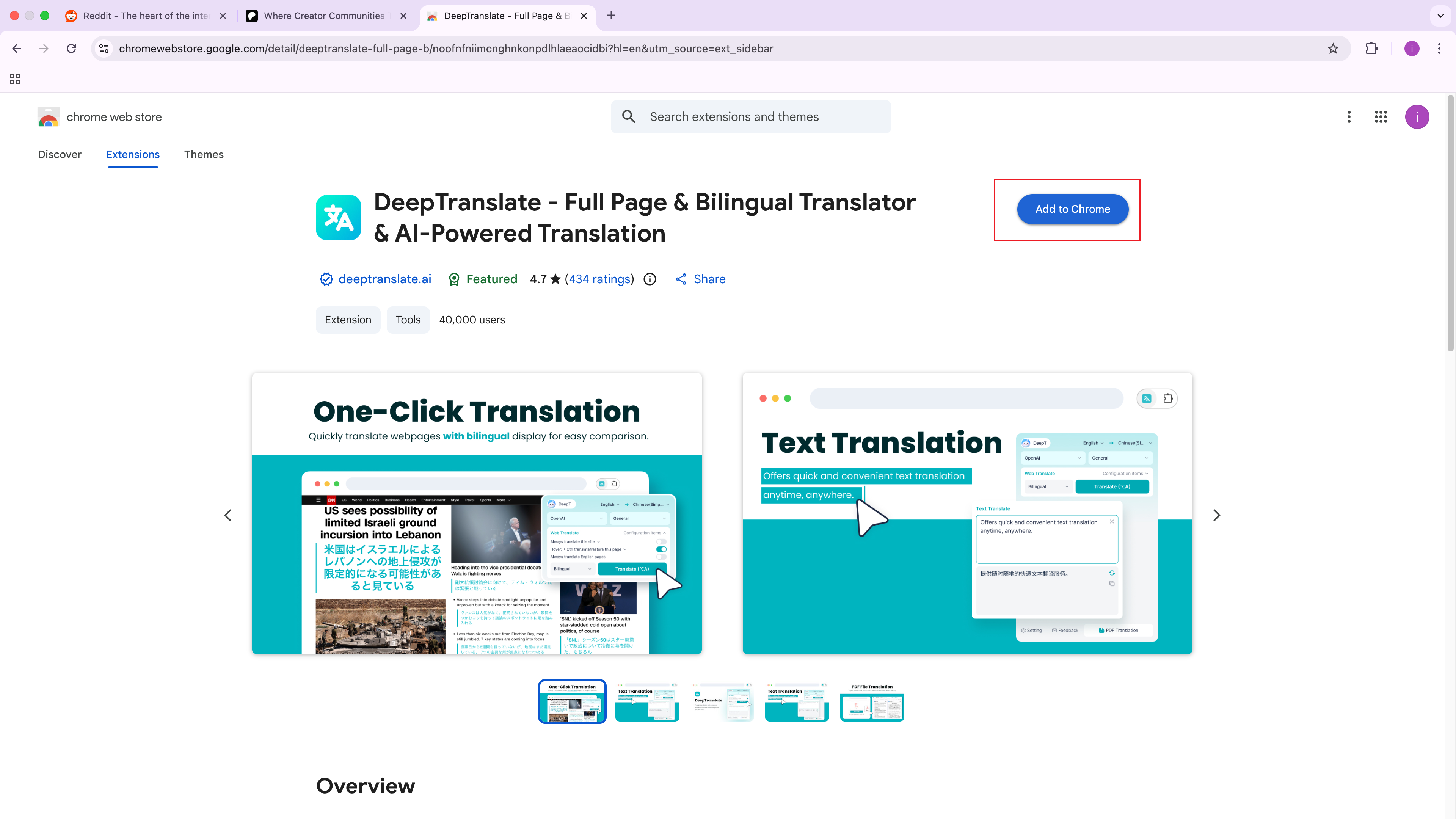
To do this, go to Chrome Web Store and install the extension.
-
After installation, go to your Patreon page.
-
In your browser, open the toolbar and click on the DeepTranslate app.
-
Choose your preferred translated language.
-
You have the option to select either bilingual mode or full-page translation.

The use of this method is quite valuable for creators targeting an international audience or for patrons who have favorite creators who post in multiple languages.
Read Patreon in Your Language, Instantly
Translate the Patreon website with DeepTranslate in just one click.
How to Change Language on Patreon Account
If you prefer to change the language settings directly within your Patreon account, follow these steps:
- To create or edit a post, first, you must be logged in to your Patreon website via a desktop browser.
- Hover over your avatar photo on the top right corner of the page and select the drop-down options.
- Click on setting from the pull-down.
- Now move to the left sidebar and click the option "Account Settings."
- Go down to where it states the language.
- Locate the drop-down menu and choose your language.
- At the end of the page, click on the button labeled "Save Changes.".
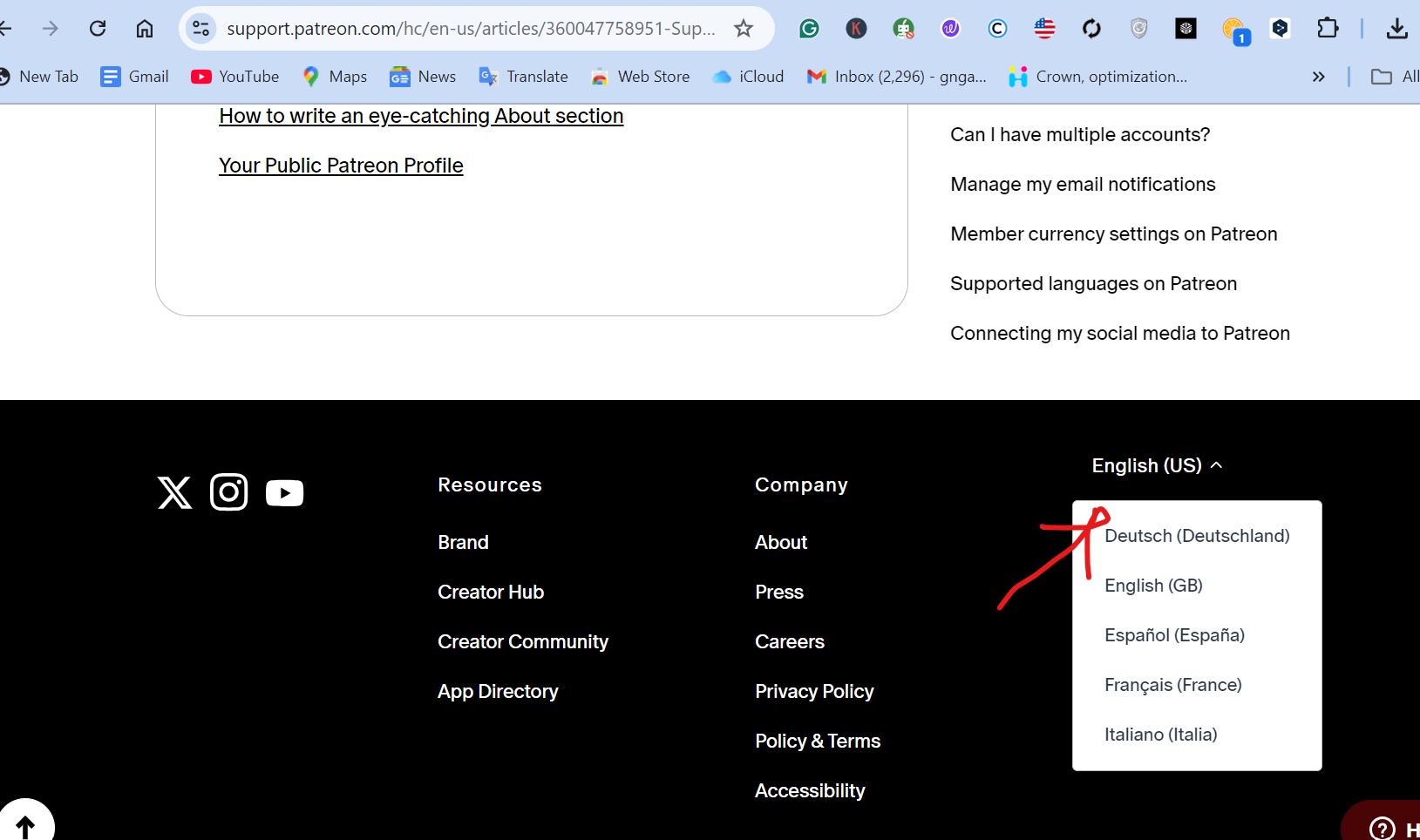
Patreon will then reload and the interface should be in the selected preferred language for viewing after loading. This change will be applied to all the ways you interact with Patreon website while you are signed into your account.
Read Patreon in Your Language, Instantly
Translate the Patreon website with DeepTranslate in just one click.
How to Change Language on Patreon App
For those who primarily use Patreon on mobile devices, changing the language in the app is a straightforward process:
-
Launch the Patreon application on the smartphone or tablet that you're using.
-
From the screen, click the menu icon (three horizontal lines) to expand the sidebar.
-
Scroll down and click on the "Settings" option.
-
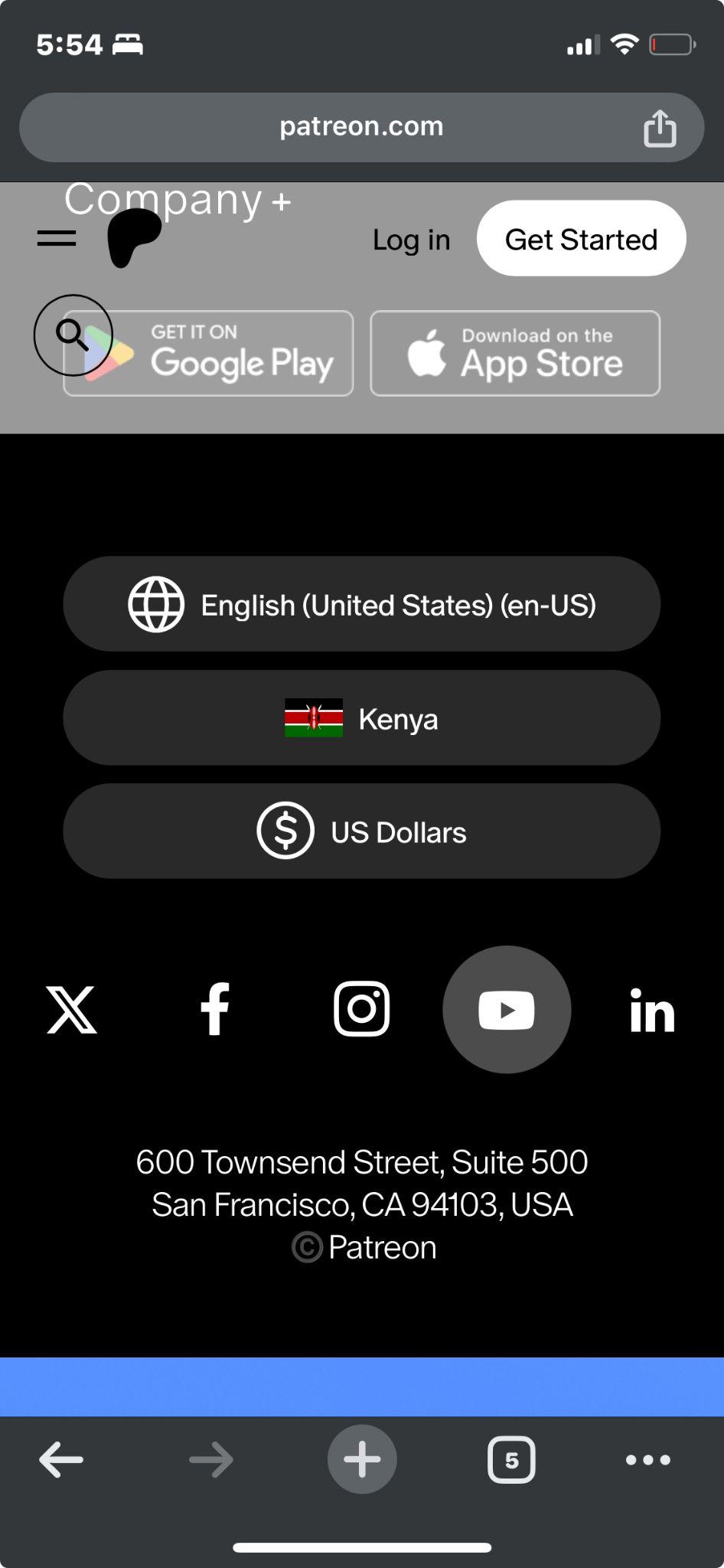
Scroll down until you find the "Language" and tap on it.
-
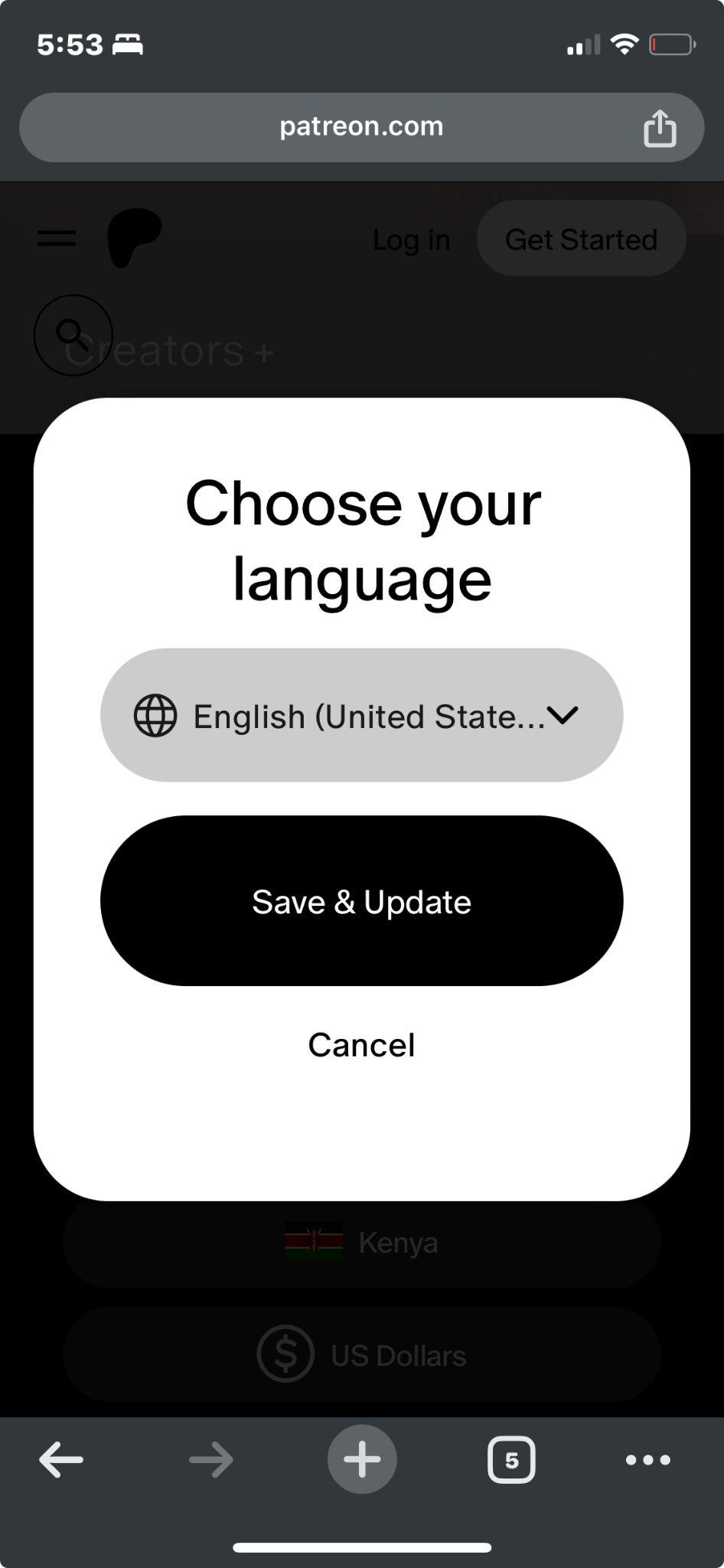
Select one of the languages from the list below which you would like to be served with.
-
You don't need to worry about changing your language settings; the app will switch to the language you've selected on its own.
This means that when you change the language in the app, it may not change the experience you have on Patreon website using the desktop version. To ensure that all the changes are mirrored across the multiple devices that can access your account, it's recommended to change the language through the account settings as mentioned in the previous section.
Read Patreon in Your Language, Instantly
Translate the Patreon website with DeepTranslate in just one click.
Conclusion
Using Patreon in a language of your choice is a plus, whether you are a content creator or a supporter. All the aforementioned steps will help you alter the language on the Patreon platform, whether you are using the online platform or the patrons' app.
For those people who often read materials in several languages or would like the fly to translate passages from one language to another, as we already mentioned, one of the best tools for those people is the DeepTranslate browser extension. They don't offer only translatable pages and separate texts on the site, but also bilingual pages and full translations into more than 140 languages, making it a useful platform for Patreon's international users.
Just a reminder everyone should always try to communicate effectively to foster good relations between creators and patrons. It's obvious, but by making sure that you can gladly use Patreon website in your native language, you are setting the stage for more relevant and therefore more engaging interactions in that language.
No matter if you are backing the creator you love or sharing your work with the world, Patreon provides options for languages, and DeepTranslate helps you to break the language barrier. Accept creativity and support from worldwide patrons, and get the best out of the Patreon experience in your preferred language.