
 Google
Translation will appear here.
 Google
Translation will appear here.
Chrome Web Store Featured • 4.7-star rating • 60,000+ users
STEP 1
Enter Your Tamil Text
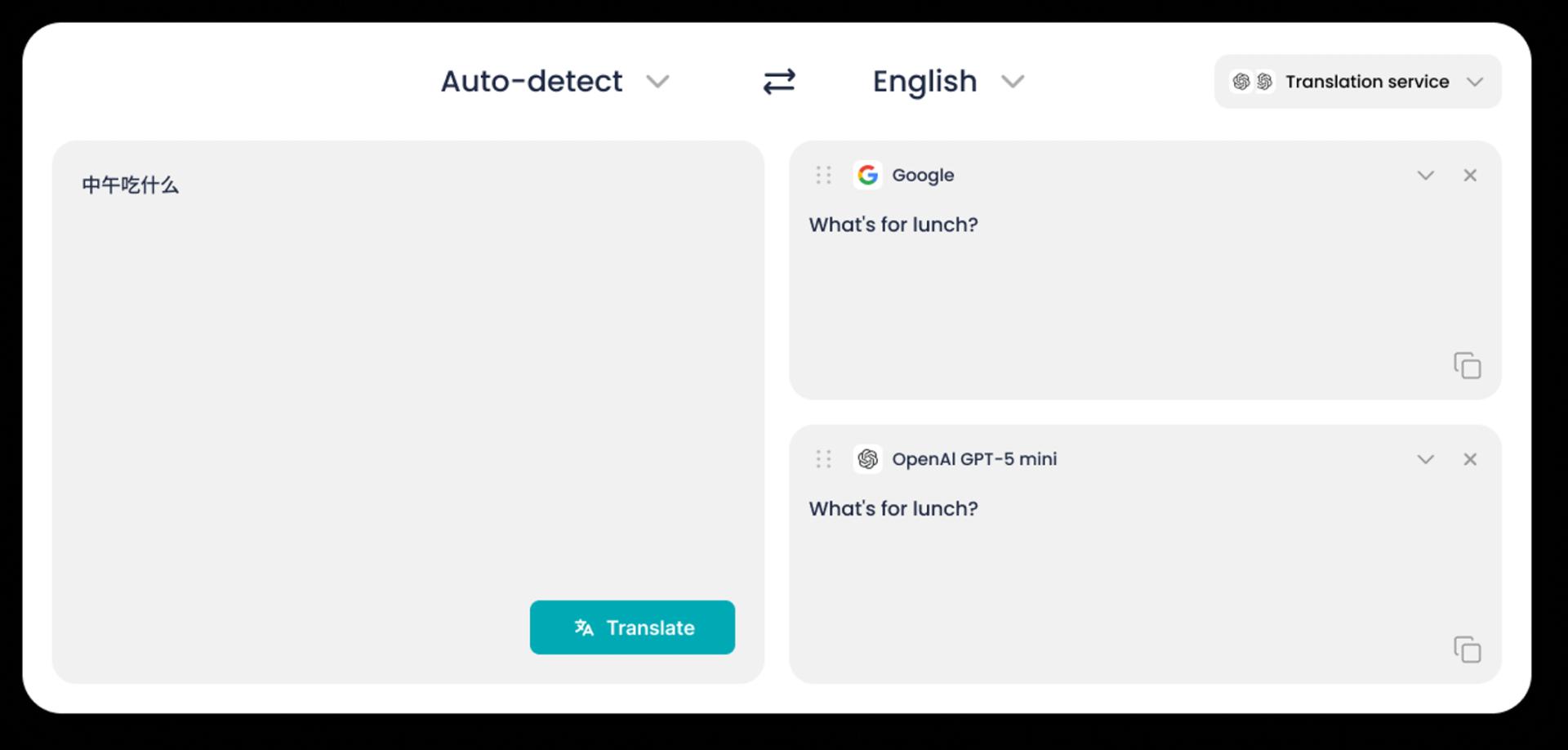

STEP 2
Choose an AI Translation Engine
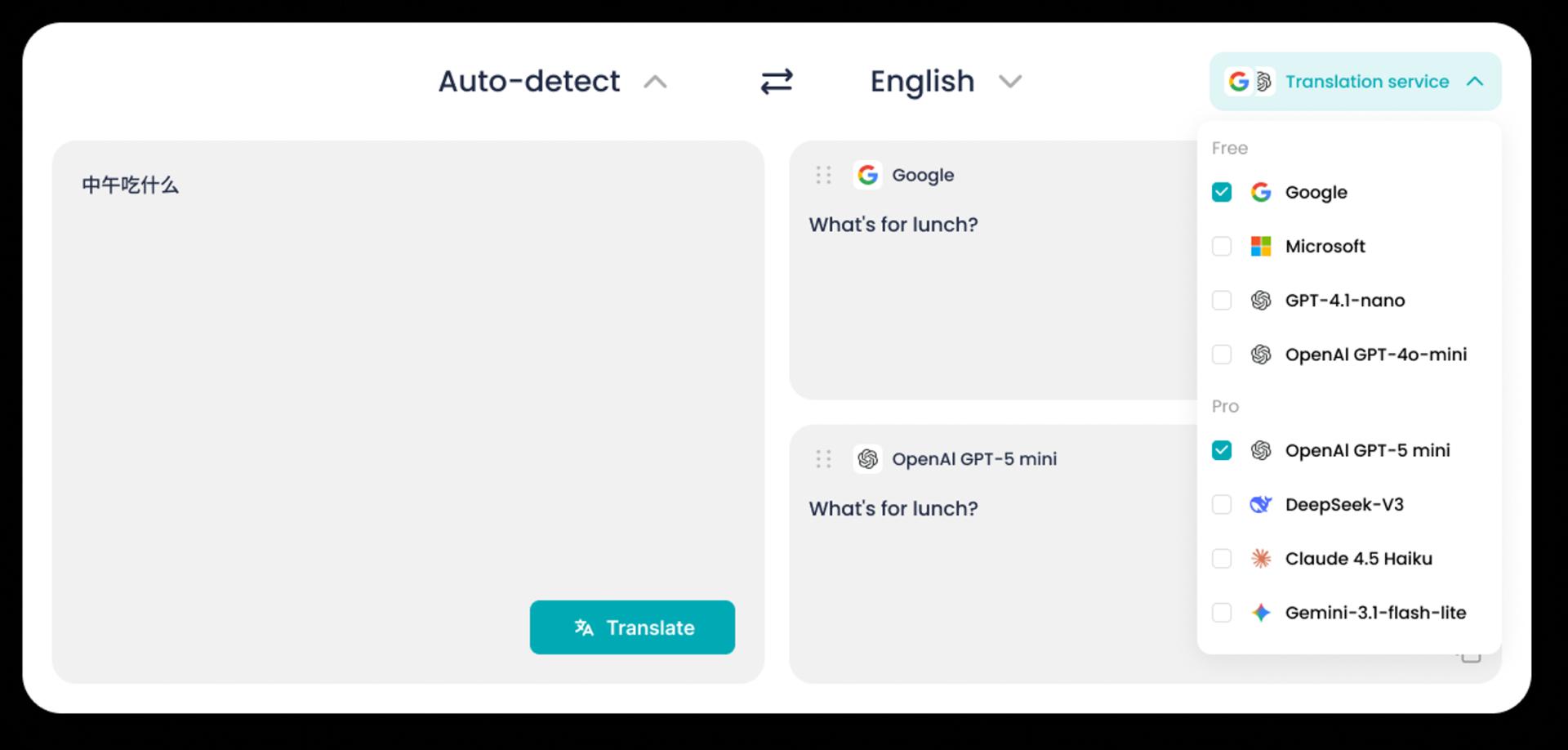
STEP 3
Translate and Compare Results
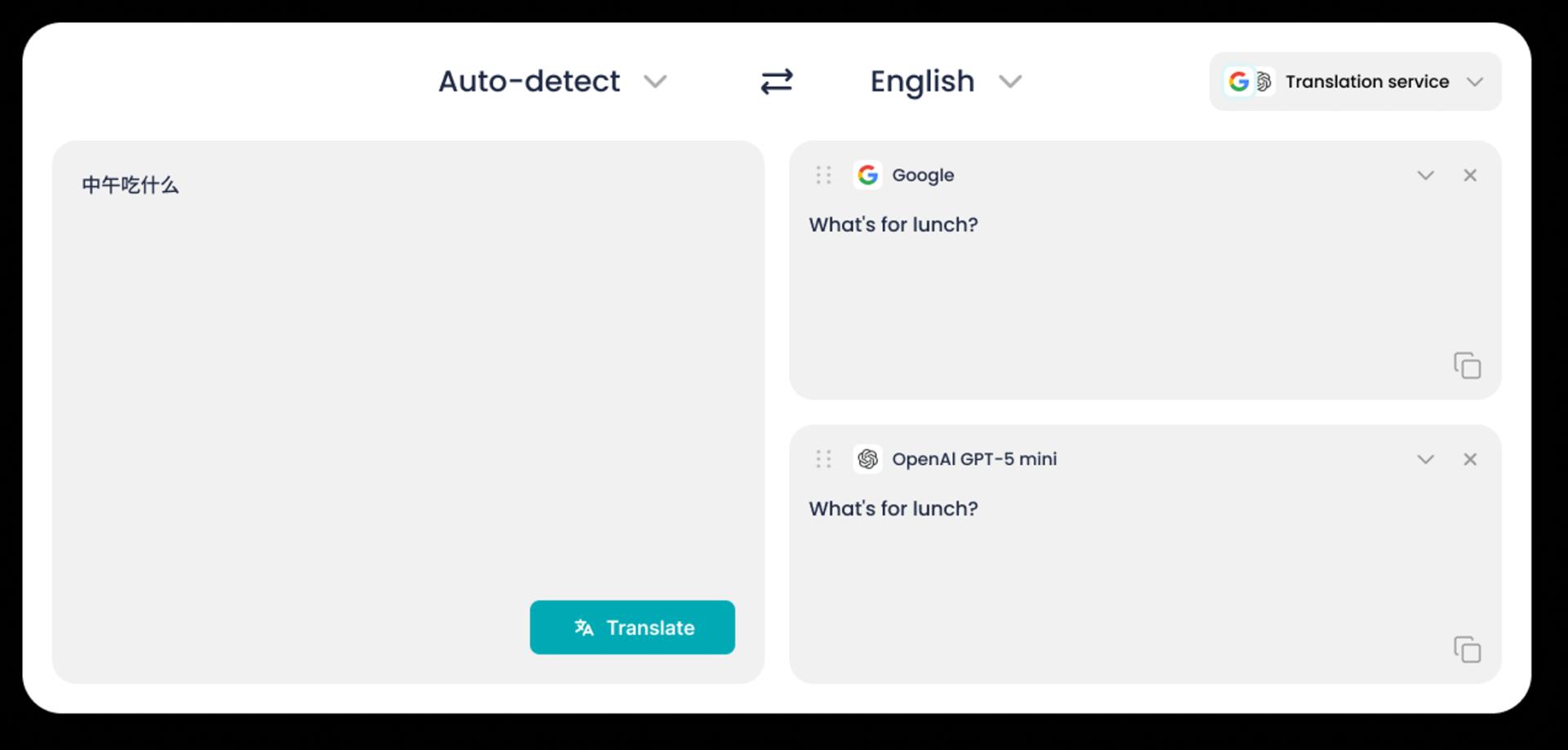
DeepTranslate gives you more control than standard translators. Choose AI engines, compare results, and translate text, documents, or web pages your way.
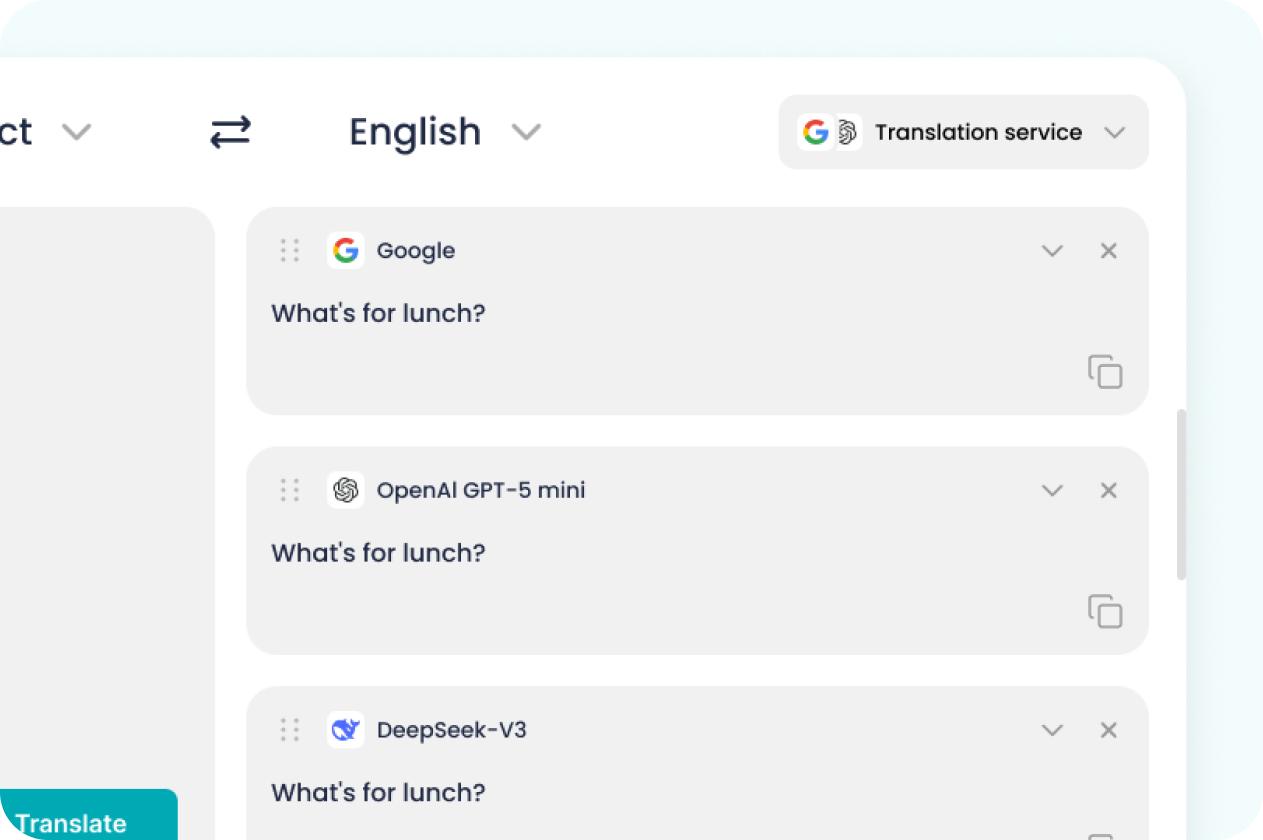
Select from leading translation engines such as OpenAI, Gemini, DeepSeek, Claude, Google, and Microsoft. Different engines may perform better for different types of content, so you can choose the one that fits your needs.
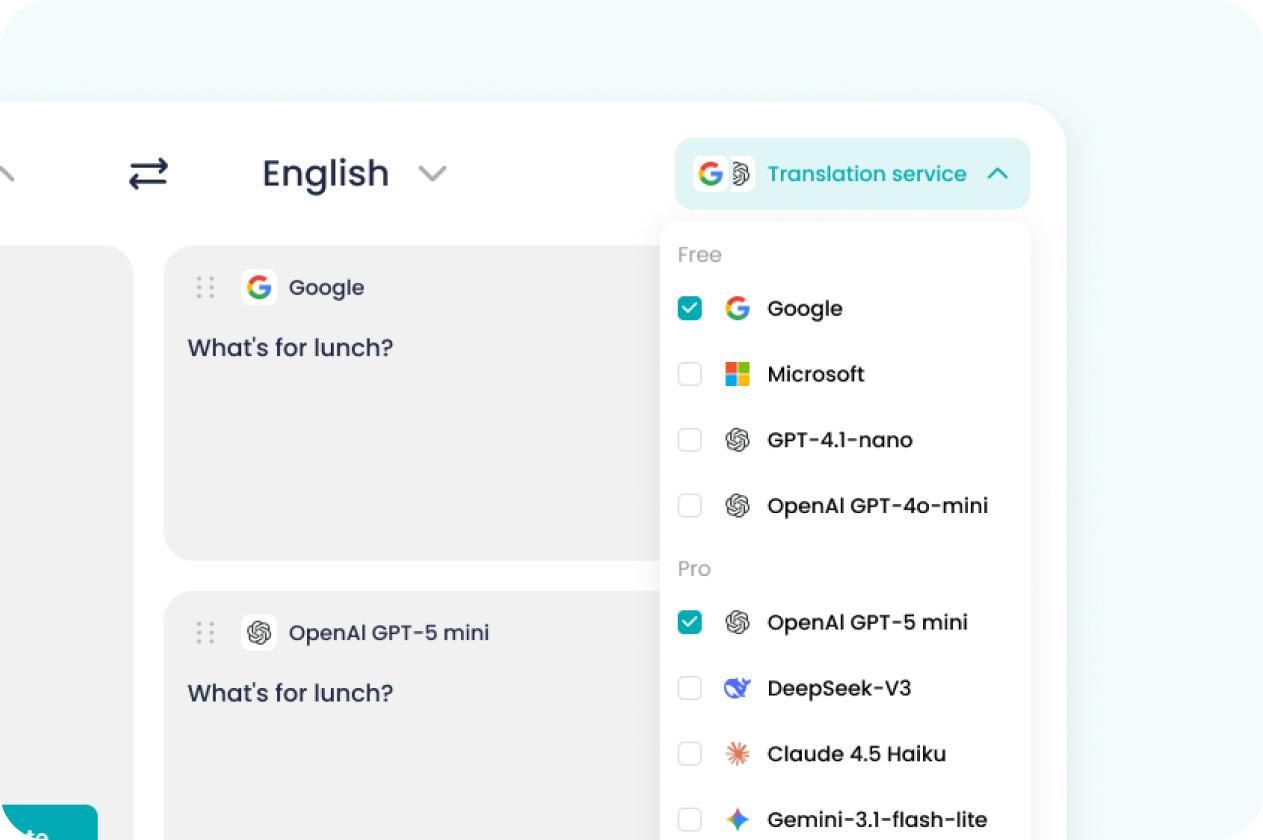
Not every translator gives the same answer. DeepTranslate lets you switch engines and compare translations, helping you find the version that sounds clearer, more accurate, and more natural.
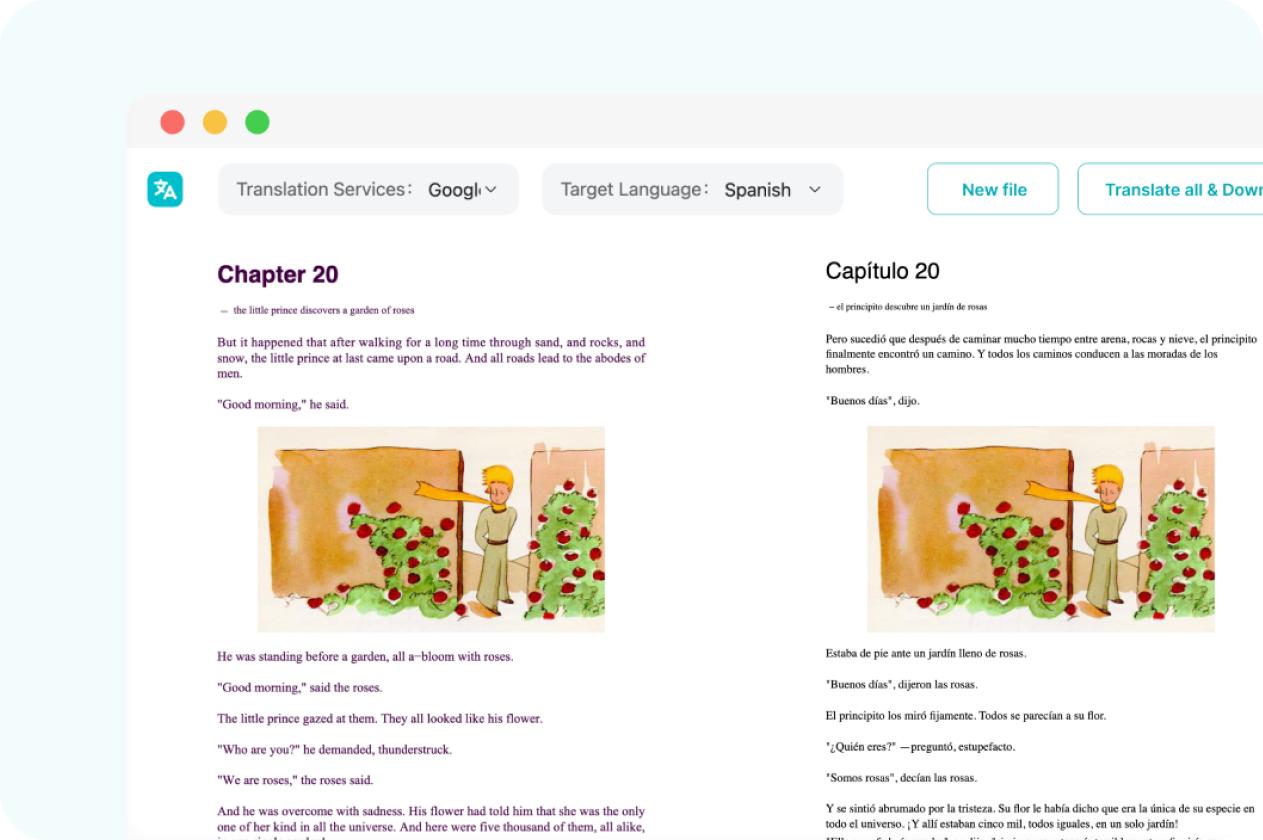
Use DeepTranslate for text translation, PDF translation, and web page translation. Read web pages in bilingual line-by-line mode or translate PDF files for study, work, and research.
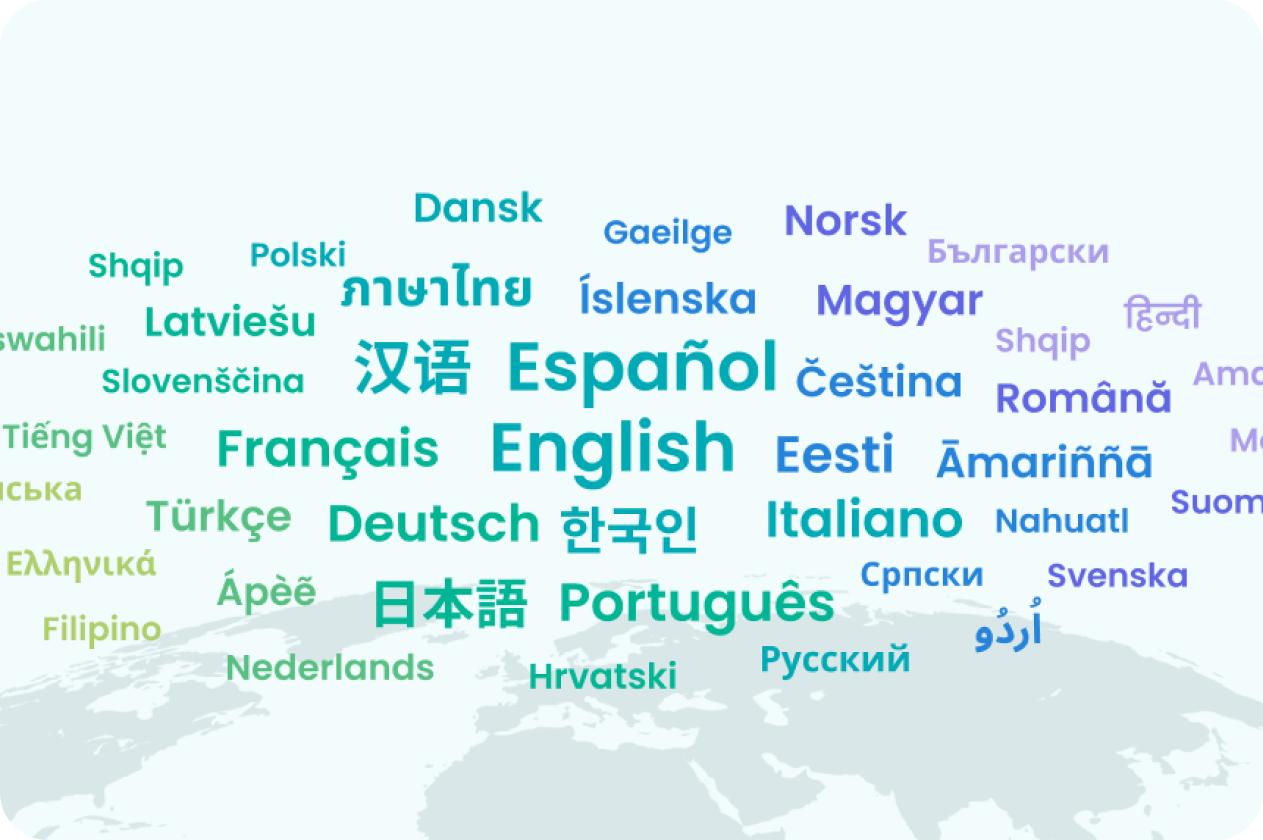
DeepTranslate supports translation across 100+ languages, so you can translate your text and explore many other language pairs in the same tool.
DeepTranslate is a Featured extension on the Chrome Web Store, trusted by tens of thousands of users and highly rated for its AI-powered text, web page, and PDF translation.

 Featured

DeepTranslate is trusted by readers, students, and professionals who need fluent translation without losing context.
The best translation alternative for Brave browser when built-in translation falls short.

Simple and easy to use, much better than many well-known plugins that became bloated after charging.

Works flawlessly and is very helpful. Thank you very much.

It can translate web pages directly, quickly and conveniently.

The best browser extension.

I use it well, and I am looking forward to the new features coming next.

Very good translation for reading documentation, with accurate word choices and easy-to-understand translated text.

A very satisfying application.

I really love it!

Works perfectly.

It feels excellent. The translation is accurate, does not affect the original page, and makes reading foreign websites much faster. Highly recommended.

Extremely easy to use.

The best translation alternative for Brave browser when built-in translation falls short.
Simple and easy to use, much better than many well-known plugins that became bloated after charging.
Works flawlessly and is very helpful. Thank you very much.
It can translate web pages directly, quickly and conveniently.
The best browser extension.
I use it well, and I am looking forward to the new features coming next.
Very good translation for reading documentation, with accurate word choices and easy-to-understand translated text.
A very satisfying application.
I really love it!
Works perfectly.
It feels excellent. The translation is accurate, does not affect the original page, and makes reading foreign websites much faster. Highly recommended.
Extremely easy to use.
Extremely easy to use.
It feels excellent. The translation is accurate, does not affect the original page, and makes reading foreign websites much faster. Highly recommended.
Works perfectly.
I really love it!
A very satisfying application.
Very good translation for reading documentation, with accurate word choices and easy-to-understand translated text.
I use it well, and I am looking forward to the new features coming next.
The best browser extension.
It can translate web pages directly, quickly and conveniently.
Works flawlessly and is very helpful. Thank you very much.
Simple and easy to use, much better than many well-known plugins that became bloated after charging.
The best translation alternative for Brave browser when built-in translation falls short.
Extremely easy to use.
It feels excellent. The translation is accurate, does not affect the original page, and makes reading foreign websites much faster. Highly recommended.
Works perfectly.
I really love it!
A very satisfying application.
Very good translation for reading documentation, with accurate word choices and easy-to-understand translated text.
I use it well, and I am looking forward to the new features coming next.
The best browser extension.
It can translate web pages directly, quickly and conveniently.
Works flawlessly and is very helpful. Thank you very much.
Simple and easy to use, much better than many well-known plugins that became bloated after charging.
The best translation alternative for Brave browser when built-in translation falls short.
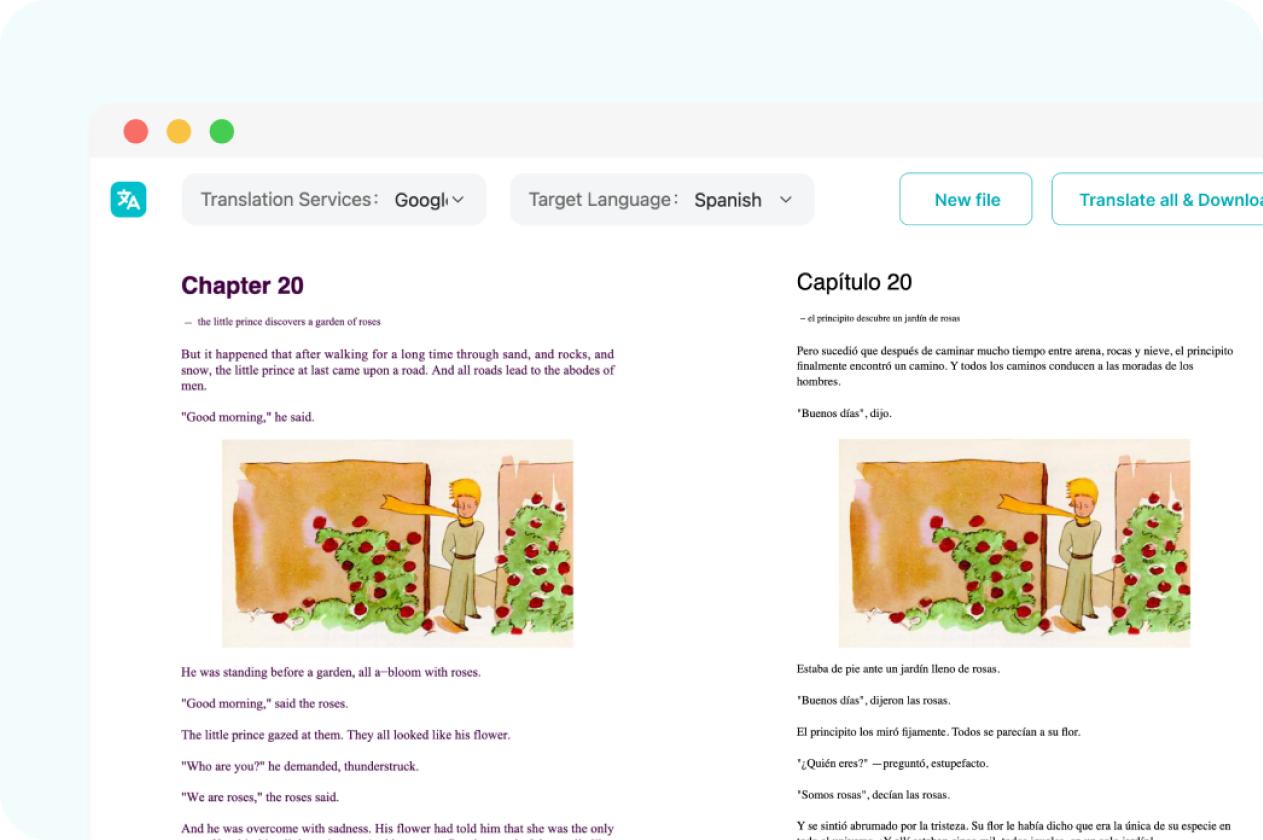
DeepTranslate is more than a Tamil to Korean text translator. Translate full web pages and PDF files with AI-powered engines, while keeping the original content beside the translation for easier reading and comparison.
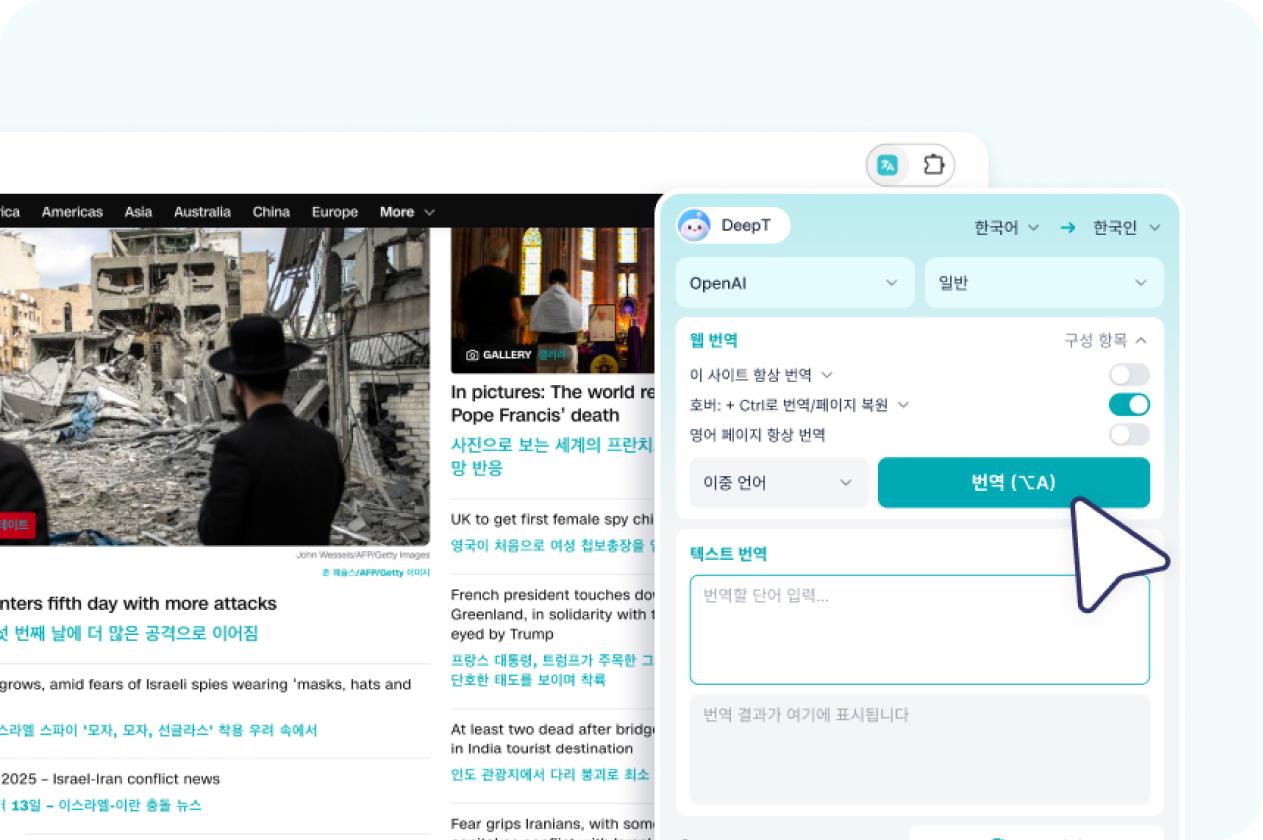
Read foreign websites with the original text and translation line by line. DeepTranslate helps you browse articles, news, documents, and online resources without switching tabs.
Upload PDF files and translate reports, papers, manuals, and study materials while comparing the original and translated text in one view.
Learn common Tamil to Korean phrases and translate more everyday expressions with DeepTranslate’s AI translator.
 안녕하세요좋은 아침입니다좋은 저녁입니다만나서 반갑습니다네아니요이해합니다이해하지 못했습니다도와주실 수 있나요?화장실이 어디예요?이것은 얼마예요?지금 몇 시예요?도와주세요.천천히 말씀해 주세요.정말 감사합니다.실례합니다.조금 늦게 도착하겠습니다.이메일을 보내드리겠습니다.시간이 더 필요합니다.회의에서 논의할 수 있습니다.공항에 가고 싶어요.지하철역은 어디에 있나요?방을 예약하고 싶습니다.이 주소로 데려다 주세요.
DeepTranslate supports over 100 languages, simply select the source language and target language to start translation.
In addition to Tamil to Korean translation, DeepTranslate supports many other Korean translation pairs across 100+ languages.
Yes. You can use DeepTranslate’s Tamil to Korean translator online for free. It helps you translate Tamil to Korean text quickly, and you can also choose from different AI translation engines for better results. Some advanced engines, higher usage limits, or Pro features may require an upgrade.
Yes. DeepTranslate lets you choose the AI translation engine for your Tamil to Korean translation. You can translate with engines such as Google, Microsoft, OpenAI, Gemini, DeepSeek, or Claude, depending on the result style and translation quality you prefer.
Tamil to Korean AI translation accuracy depends on the text, context, and translation engine you choose. DeepTranslate gives you more control than a standard online translator by letting you compare multiple AI engines and select the result that best matches your meaning.
Yes. DeepTranslate supports PDF translation from Tamil to Korean. You can translate documents such as reports, study materials, manuals, articles, and business files while keeping the original content easier to compare with the translated version.
Yes. With DeepTranslate’s browser extension, you can translate web pages from Tamil to Korean. The bilingual display shows the original text and translation line by line, making it easier to read foreign-language websites without losing context.
DeepTranslate supports translation across 100+ languages. In addition to Tamil to Korean translation, you can explore many other language pairs and choose the AI translation engine that works best for your text, PDFs, or web pages.
Yes. You can switch between different AI engines and compare Tamil to Korean translation results. This is useful when you want to check wording, tone, context, or accuracy before using the final translation.
Yes. DeepTranslate is available as a Chrome browser extension. You can use it to translate selected text, full web pages, and PDF files directly in your browser, with support for multiple AI translation engines.

DeepTranslate supports over 100 languages, translating text, PDFs, and web pages. It compares results from multiple AI engines and supports bilingual web page reading.
Chrome Web Store Featured


 DeepTranslate


© 2024 DeepTranslate. All rights reserved